 Searchlify
Search everything on your Mac — instantly.
Find files, PDFs, screenshots, and documents using natural language. Powered by fully offline local AI indexing for maximum speed and privacy.
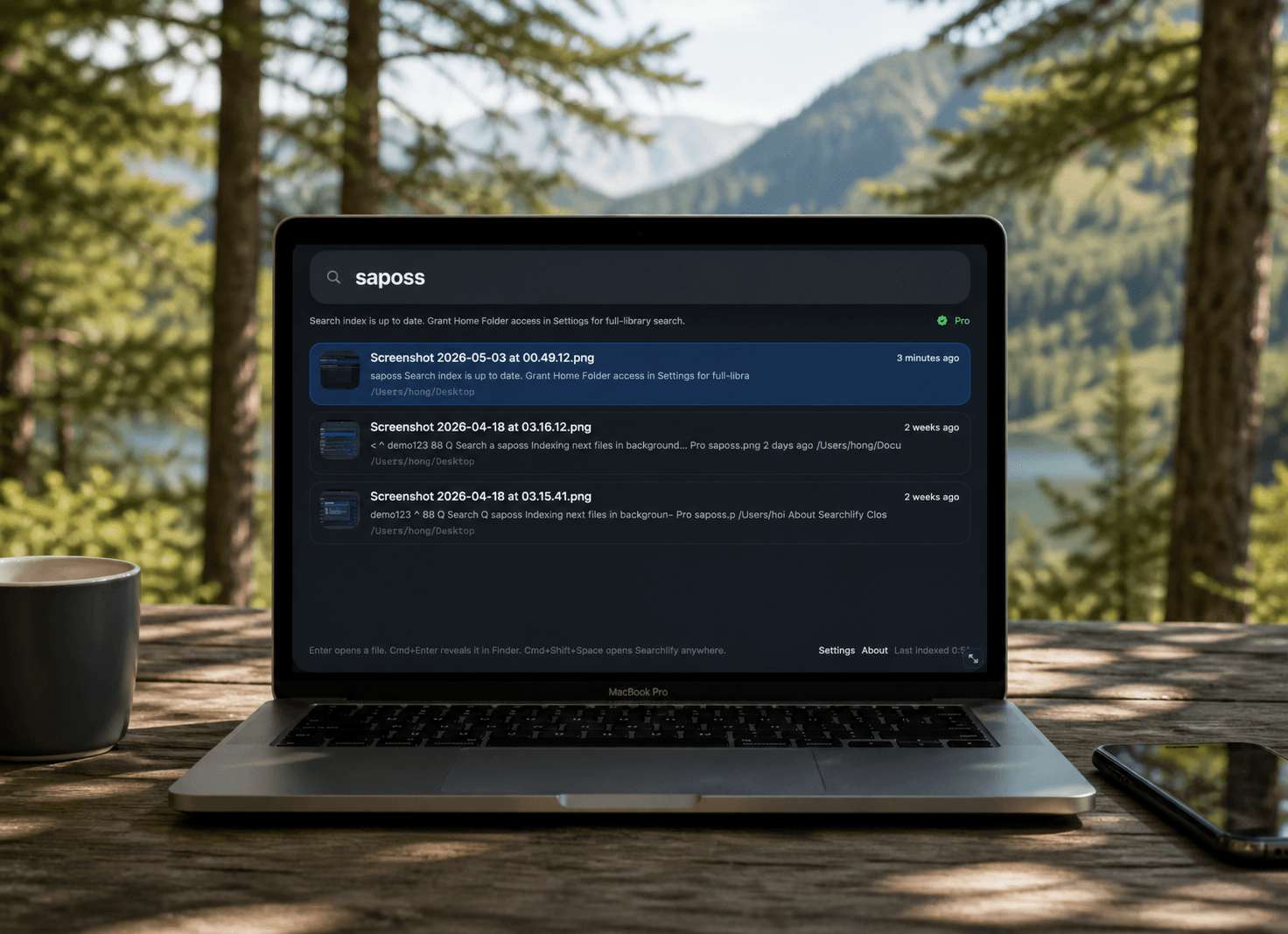
Built for modern workflows.
Searchlify combines advanced semantic understanding with the raw speed of native macOS indexing.
Natural Language Search
Type 'invoice from last month' or 'wifi password'. Searchlify understands intent, not just exact keywords.
Full-Text Indexing
Search deep inside PDFs, Word documents, text files, and code. Finding content, not just filenames.
On-Device OCR
Text inside images and screenshots is automatically extracted and indexed using local OCR.
100% Offline
No internet required. Everything processes completely on your Mac for ultimate privacy.
Custom Folder Indexing
Choose exactly which folders or drives you want to index. Keep the rest private.
Lightning Fast
Built native for macOS. Results appear instantly as you type, with zero loading spinners.
Your files never leave your Mac.
We believe your data is yours alone. Searchlify is engineered from the ground up to be completely offline and private. There is no cloud processing, no telemetry, and no analytics.
- Zero cloud syncing or external processing
- No telemetry, analytics, or user tracking
- All OCR and AI processing happens locally
100% On-Device
Searchlify runs natively on Apple Silicon, leveraging the Neural Engine to process everything instantly on your machine.
Built for how you work.
Whether you're managing complex projects or organizing study materials, Searchlify adapts to your workflow.
Developers
Instantly locate code snippets, error logs, and terminal screenshots. Stop hunting through repositories.
Students
Search across hundreds of PDFs, lecture slides, and typed notes. Find the exact slide you need.
Professionals
Locate invoices, legal documents, and meeting transcripts instantly without remembering file names.
Creators
Find mood board images, design assets, and specific photos by describing what's in them.
Trusted by Professionals
Join thousands of Mac users who have revolutionized their workflow with Searchlify.
Nina Ottene
Administrative Assistant
Searchlify has made handling documents so much easier. I can instantly find specific quotes, emails, or notes without digging through folders for minutes.

Janina Borne
Junior Software Developer
The local indexing is what really stands out to me. It’s fast, privacy-friendly, and integrates seamlessly into my workflow without sending data to the cloud.

Christoph Helme
Junior Software Developer
I love that I can search using natural language instead of rigid queries. It makes navigating projects and files much more intuitive.

Anja Dumme
Creative Designer
Being able to find screenshots and visuals based on their content is a huge time-saver. It completely changes how I organize and reuse design assets.
Available on the Mac App Store.
We distribute Searchlify exclusively through the Mac App Store. No external payment processors, no manual updates, and full peace of mind.

Download for macOS

Scan to Download
Secure Installation
Sandboxed and verified by Apple.
Automatic Updates
Always run the latest version.
Trusted Billing
All payments handled by Apple IAP.
Stop searching folders.
Start searching meaning.
Join thousands of professionals saving hours every week. Download Searchlify today and transform how you work.

Scan to
Download App